How We Scanned a Blast Furnace Without Shutting Down Production
Documenting an operational steel plant blast furnace using 3D LiDAR — heat, dust, restricted access, and absolute accuracy.
Taking survey gear into a live blast furnace is miserable, dangerous work. You're fighting heat, dust, and confined spaces, and you absolutely cannot disrupt the flow of liquid steel. Getting millimeter-accurate measurements in that environment requires treating the logistics as seriously as the geometry.
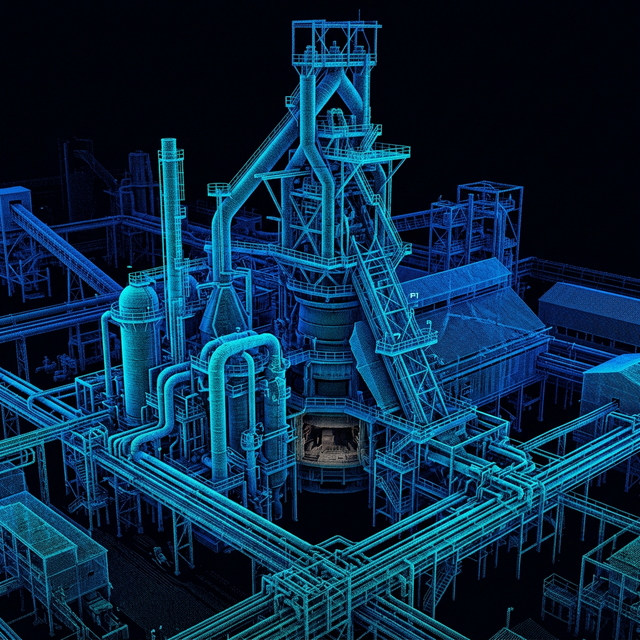
The problem: Doing it live
Blast furnaces essentially never stop running. A major steel manufacturer asked us for as-built 3D documentation. The entire blast furnace along with the cast house was scanned, along with the stoves, slag systems, gas cleaning plants, and miles of twisted piping. The catch? We couldn't shut anything down. We couldn't enter confined zones during active cast sequences, and we had weeks, not months, to deliver.
You simply cannot do this with traditional tools.
Why lasers win in a steel mill
If you try to use a tape measure or a total station in a blast furnace, you will fail. The structure is 60 meters tall, intensely dense, and covered in pipes. Normal photogrammetry from drones or cameras is useless here because the heat radiation ruins the contrast, and sudden bursts of steam and dust wreck the optical tracking.
Terrestrial LiDAR handles this noise better. The equipment used was a FARO S350 scanner to capture the wide areas and a FARO M70 down in the cramped mechanical rooms. The scanners throw millions of lasers to build a dense 3D point cloud of the plant with sub-5mm accuracy. Because the laser doesn't need to see the whole plant at once, we just took dozens of overlapping scans and stitched them together later in the software.
Planning the access
The scanning was the easy part. The hard part was getting the scanner into the right position without getting anyone killed. Before we brought the gear inside, we sat down with the plant safety officers and mapped out safe access corridors and strictly enforced heat exclusion zones.
We timed every single scan location to fit perfectly into the brief operational windows between tapping events. It was a highly choreographed dance with the maintenance crews.
Over 1500 scans were done to capture the furnace and all the auxiliary systems. Because of the heat and visual obstructions, these were registered using FARO SCENE through automatic cloud-to-cloud alignment, backing it up with hard physical survey targets just to be paranoid about accuracy.
Because we used HDR imaging during the scans, the final dataset was fully colorized. The engineers could actually tell the difference between a rusty water main and a painted gas line just by looking at the point cloud on their screens.
The handover
It took us four weeks from mobilizing on site to handing over the final registered point cloud of 120,000 square meters of chaotic industrial geometry.
We didn't just dump a massive raw file on the client. We gave them classified point clouds for pipe routing, a fully modeled 3D Navisworks model for expansion planning, and dimensional deviation reports they used for structural maintenance scheduling.
What we learned
If there's advice to give anyone attempting to scan heavy industry, it's this:
- Safety and access dictate everything. The best scanner on earth is useless if safety protocols won't let you set it up. Plan your access before you pack your gear.
- Don't over-scan. You don't need 2-millimeter resolution for a slag heap, but you might need it for a critical valve flange. Define what level of detail you actually need in each zone so you don't choke the servers.
- Prove your accuracy. Every registered point cloud needs a validation report. If the scans don't tie together perfectly, the engineers will design a pipe that won't fit during the shutdown.
- Deliver what they ask for. Most plant engineers just want a Revit or Navisworks file they can open. Navigating raw point clouds requires specialized software that most IT departments won't install anyway.
Have an industrial scanning project? Get in Touch →